


Mobile Check Deposit
Easily deposit local checks even while on-the-go
Frequently Asked Questions
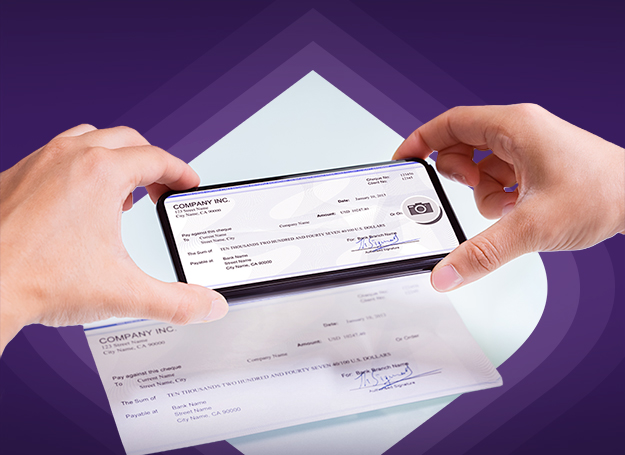
EastWest Mobile Check Deposit is a feature in the EasyBiz App that allows you to deposit eligible local checks by taking photos of the front and back of the check using your camera-enabled smartphone.
You may deposit eligible EastWest and other local bank checks to your valid EastWest corporate savings or checking account.
Each deposit will be subject to the bank’s verification, check processing policies, image quality review, and applicable Philippine Clearing House Corporation standards.
You may use Mobile Check Deposit if you have an active EastWest account and access to the EasyBiz App, subject to the Bank’s eligibility requirements and check acceptance guidelines.
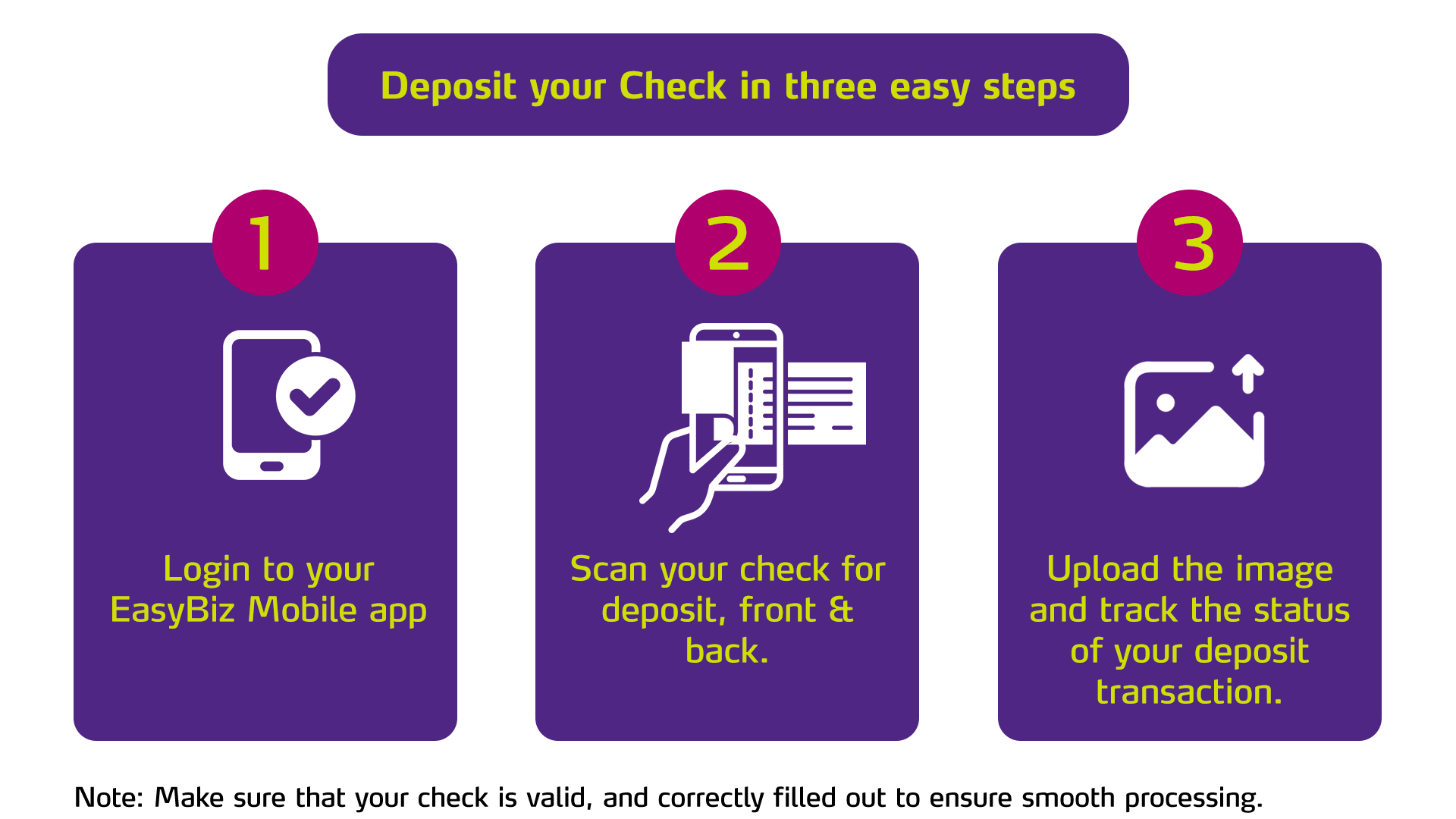
To deposit a check through the EasyBiz App:
- Log in to the EasyBiz App.
- Tap Deposit Check, then tap Proceed.
- Select your receiving account.
- Enter the check amount.
- Take a clear photo of the front and back of your check.
- Review your transaction details.
- Read and agree to the Terms and Conditions.
- Tap Confirm and Deposit.
- Authorize the transaction using your biometrics or passcode.
- Track your transaction through Trace Mobile Check.
How should I take a photo of my check?
For the front of your check:
- Make sure all check details are completely filled out, and the front-side has the signature of the issuer.
- Make sure there are no erasures, alterations, or visible defects.
- Take the photo in a well-lit area.
- Avoid glare, shadows, and reflections.
- Fit the entire check within the frame.
- Make sure the image is clear, straight, and not distorted.
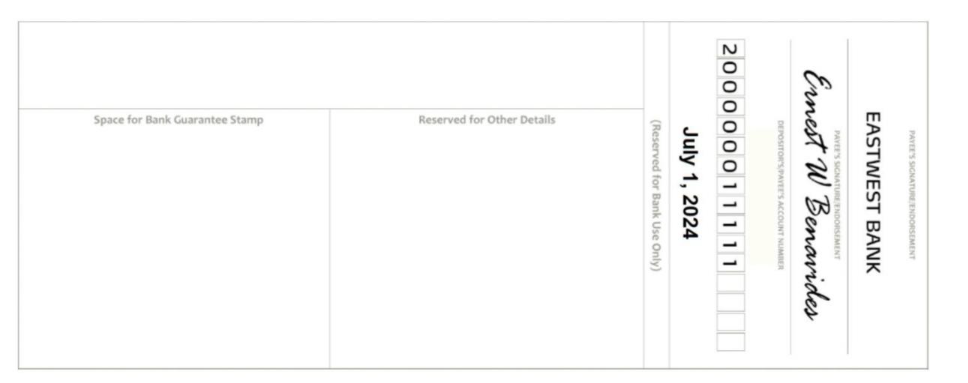
For the back of your check, write the following legibly in black ink:
- EASTWEST BANK
- Signature of the person depositing the check
- The EastWest account number where the check will be deposited
- Date of deposit
Each deposit will still be subject to EastWest Bank’s verification, check processing policies, image quality review, and applicable Philippine Clearing House Corporation standards.
To Illustrate:
Note: Availability of funds from mobile check deposits is subject to EastWest Bank’s verification and policies on check processing. Deposit limits and other restrictions apply. Checks will be subject to image quality checking to ensure compliance with EastWest Bank’s guidelines and PCHC standards. Only acceptable checks shall be submitted for clearing / processing.
You may deposit eligible checks to the following EastWest accounts:
1. Your Savings Account
2. Your Checking Account
3. Your Joint “AND/OR” Account
You cannot deposit mobile checks to the following accounts:
1. Joint “AND” Account
2. Time Deposit Account
3. Prepaid Card
4. Loan Account
5. CASA accounts with restrictions, such as Cash Basis Only, Dormant, or Garnished accounts
Before using Mobile Check Deposit, please make sure that:
1. You have the EasyBiz App installed on your camera-enabled smartphone.
2. Your check is drawn on EastWest Bank or another local bank.
3. Your check is payable to you and will be deposited to your valid EastWest savings or checking account.
4. Your check is payable in Philippine Peso and is below PHP 500,000.
5. Your check is not dated more than 179 days from the date of deposit.
6. Your check is completely filled out, signed, and valid under applicable laws and regulations on negotiable instruments.
7. Your check has no erasures, alterations, mutilations, or deficiencies on the front or back.
8. Your check has not been previously presented, deposited, endorsed, negotiated, returned, or dishonored.
You may check the status of your deposit through Trace Mobile Check in the EasyBiz App.
You may also check if the amount has already been credited to the available balance of your selected receiving account.
Yes. You may submit a mobile check deposit anytime through the EasyBiz App. However, processing and fund availability will follow applicable clearing schedules.
1. If you submit your check on or before the 4:00 PM clearing cut-off
on a regular banking day, your check will be processed within the
day.
2. If your EastWest on-us check is cleared, the amount may be
credited on the same day.
3. If your off-us check is cleared, the amount will be credited based on
existing procedures for local check deposits.
4. If you submit your check after the clearing cut-off, during weekends,
or on banking holidays, your check will be processed on the next
business day.
Checks will clear within 2 to 3 business days after processing, subject to verification.
In the EasyBiz App, tap Deposit Check, then select Trace Mobile Check.
You may view your mobile check deposits for the last 12 months.
Your transaction status may be one of the following:
1. Pending – Your check is still being processed.
2. Approved – For EastWest on-us checks, your check has cleared and the funds have been credited to your account. For off-us checks, your check has been accepted for clearing.
3. Rejected – Your check was not accepted due to funding issues, technical defects, non-compliance with applicable laws, regulations, bank policies, or other check processing requirements.
Please keep the original check for at least 180 days or 6 months from the date of deposit. EastWest Bank may request the original check when necessary.
Do not re-deposit, negotiate, or present the same check through any other channel after submitting it through Mobile Check Deposit.
No. You may currently use the Mobile Check Deposit facility for free.
No. You can only use Mobile Check Deposit through the EasyBiz App.
Yes. You may only deposit checks below PHP 500,000 per check through Mobile Check Deposit.
Limits may change at any time. Please refer to the latest guidelines in the EasyBiz App.
You cannot deposit the following checks through Mobile Check Deposit:
1. Checks not payable to you
2. Checks payable to Joint “AND” accounts
3. Checks drawn on overseas banks
4. Checks payable in foreign currency
5. Checks with alterations, erasures, or mutilations
6. Unsigned checks
7. Checks dated more than 179 days from the date of deposit
8. Checks that have already been deposited, presented, endorsed, negotiated, returned, dishonored, or subject to stop payment
9. Checks amounting to PHP 500,000 or more
10. Checks that do not comply with EastWest Bank, Philippine Clearing House Corporation, or applicable regulatory requirements
Mobile Check Deposit requires camera access to capture check images. Please make sure that camera permission is enabled for the EasyBiz App.
For Android devices:
1. Open your device Settings.
2. Select Apps.
3. Choose EasyBiz.
4. Select Permissions.
5. Enable Camera access.
For iOS devices:
1. Open your device Settings.
2. Choose EasyBiz.
3. Enable Camera access.
Steps may vary depending on your device model and operating system version.
You may receive an error if your check image is unclear, incomplete, or does not meet image quality requirements.
To avoid this:
1. Write all required details clearly in dark-colored ink.
2. Use sufficient lighting.
3. Make sure your camera lens is clean.
4. Allow your camera to focus before taking the photo.
5. Avoid taking the photo too close to the check.
6. Capture the entire front and back of the check.
7. Make sure all four corners of the check are visible.
8. Avoid shadows, glare, or other objects in the image.
9. Crop the image close to the edges of the check.
No. The check images you capture through the EasyBiz App will not be saved in your mobile phone’s gallery or photos.
No. A check may only be honored once.
If your check is successfully processed and cleared through Mobile Check Deposit, the same check will be rejected if you present it over the counter.
Likewise, if your check is deposited and cleared over the counter, your pending Mobile Check Deposit transaction will be rejected.
No. Once you have successfully submitted a mobile check deposit for processing, you can no longer cancel it.
No. You cannot re-deposit a check through Mobile Check Deposit if it has already been presented, returned, dishonored, or rejected.
Please present the check at any EastWest store for handling.
No fee will be charged. However, your over-the-counter deposit will be rejected because the check has already been processed through Mobile Check Deposit.
Your mobile check deposit may be rejected if:
1. Your check is not eligible for Mobile Check Deposit.
2. Your check is payable to a Joint “AND” account.
3. Your check is drawn on an overseas bank or payable in foreign currency.
4. Your check has erasures, alterations, mutilations, or missing details.
5. Your check is unsigned.
6. Your check is dated more than 179 days from the date of deposit.
7. Your check amount is PHP 500,000 or more.
8. Your check has already been presented, deposited, endorsed, negotiated, returned, or dishonored.
9. Your check is subject to stop payment or account closure.
10. Your check image does not meet quality requirements.
11. Your check does not comply with Philippine Clearing House Corporation standards, EastWest Bank policies, or applicable laws and regulations.
For inquiries or concerns, you may contact your Store of Account or reach Cash Management Support through:
Email: cashmanagement@eastwestbanker.com
Hotline: (02) 8784-5612
Available: Monday to Friday, 8:30 AM to 5:30 PM, excluding banking holidays.